
Description
Disables the usual way of spawning screamers.
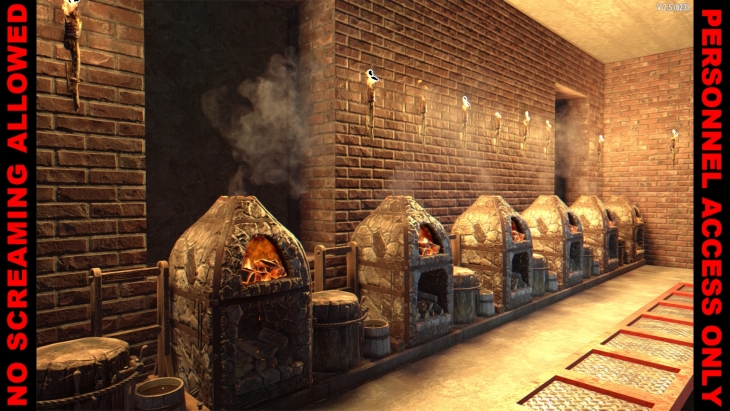
No Heat Generation prevents noises (gunshots, explosions, destroyed blocks), workstations (like the workbench and the forge), and light sources (torch, candle, etc) from spawning screamers. Unlike other mods though, this one does so by getting rid of heat generation, which means screamers can still be spawned by other mods using alternative methods (for example by smell).
100% XML, fully server-side, EAC-friendly, and also compatible with pretty much everything. Can be installed or uninstalled at any time.
If you would prefer this mod not to remove heat generation from workstations (but still remove it from noises), delete the following file:
zzzzzzByteblazarsNoHeatGeneration/Config/blocks.xml
If instead you want it to remove heat generation from workstations but not from sounds, delete the following file:
zzzzzzByteblazarsNoHeatGeneration/Config/sounds.xml
This mod was designed to be used together with Olfactory Screamers and my older Byteblazar’s Screamers, but I’m releasing them separately for modularity. Using all three simultaneously is recommended if you got bored/tired of screamers and you want to try something a bit more exciting.
Changelogs
Version 1.0.0.0
- Initial release
Download
DOWNLOAD ✔ Verified Safe (1.13 KB)
This file was scanned for viruses and verified safe using Norton 360.
Installation
- Download the zip file(s) manually.
- Extract from the zip. You may choose to use the native Windows OS extraction tool by right-clicking the zipped file, but many of us geeks prefer 7-zip.
- Put the unzipped mod folder(s) into the “Mods” folder of the game. Many tutorials out there will tell you to use the Mods folder located within the game’s folder, but it’s recommended to use the “Mods” folder located here instead:
C:\Users\YourUserName\AppData\Roaming\7DaysToDie\Mods
If you appreciate Byteblazar’s work and you want to show support, use this donate link.
Credits: ByteBlazar





If you have any questions or have any problems/bugs, please use the support link (Discord, Forum Topic, GitHub Issues, etc.) in the post. If there is no support link in the post, please use the comments section.