
Description
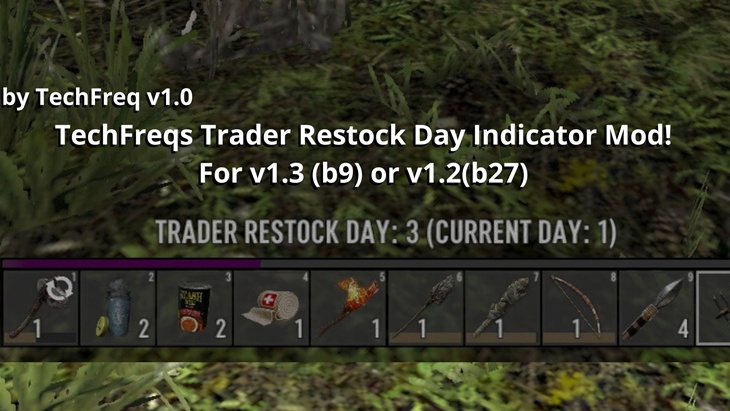
The TechFreqs Trader Restock Indicator Mod , (formely TechFreqs Trader Restock Manager), for 7 Days to Die.
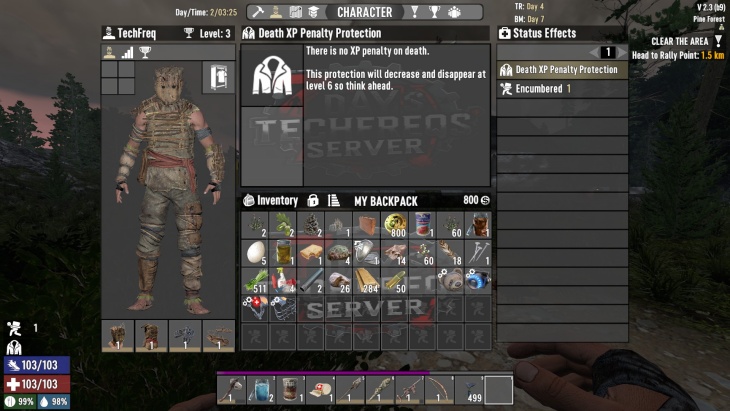
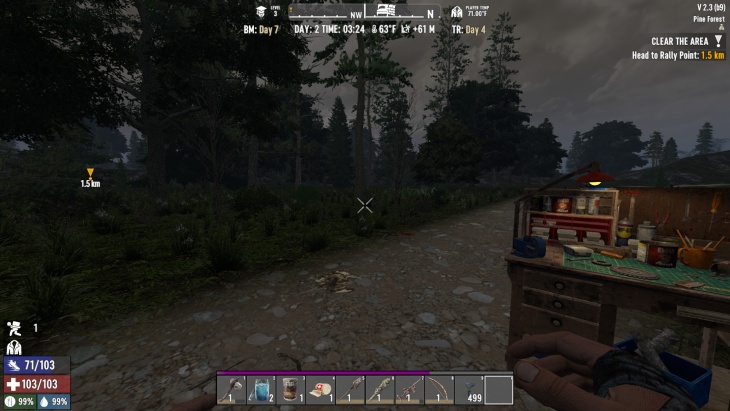
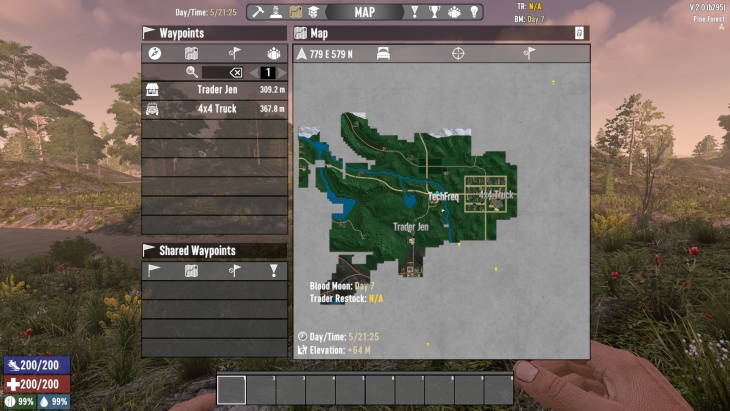
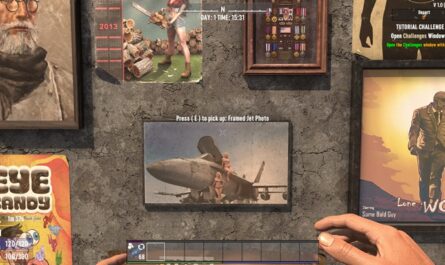
This mod is a simple but powerful User Interface (UI) enhancement for 7 Days to Die. Its main job is to show you exactly when the traders will restock their inventory, so you never miss out on new items. in this case its under the compass and or the map indicator.
Disclaimer:
By using this mod, you acknowledge that TechFreq is not responsible for any issues, crashes, or conflicts caused by its use.
Use at your own risk. Please backup your game files before installing any type of mod.
Thanks for downloading and enjoy!
Installation:
Make sure harmony mod exist in the mod directory as it’s required.
Download the mod files, Extract Mod files.
Please backup your world, save, and or game files.
Place them in your Mods directory of your 7 Days to Die Game.
EAC must be disabled, although i hope in the future that can be changed, as for now DLLS are not EAC supported however XML has no issue, unfortunately this is a dll modification.
THIS IS CLIENT SIDE ONLY but maybe perhaps this is also, server side and client side compatibility?
No further setup needed. Enjoy!
TEST confirmed working
Server and client side must be installed simultaneously.
CREDITS:
Thanks to TechFreq & A.I, ChatGPT or Microsoft CoPilot A.I or Grok AI from Twitter or X, for helping me create the modlet, aswell as with very little modding knowledge for the game and learning as i go i couldn’t do this without it and overall brainstorming and or the modding community.
I’d very much appreciate it and or any feedback for the mod(s) aswell
Support Notice: The best way to support TechFreq other than downloading mods, sharing the mod with friends, leaving feedback and endorsing the mod in general is all that i ask for, but if you want to go the extra mile although not necessary you may use Donation Links through paypal or ko-fi pages which again helps me a bunch!
However, Donations aren’t expected, every little bit of support helps along the way & fuels more mods, music, and bug fixes in the future,so thanks again for reading and being awesome in general and checking out the mod post.
Social Media:
If you appreciate ‘TechFreqs’ work and want to show support, use this donation link, although not necessary. Kofi Page.
I appreciate it in general for just checking out the mod posts, sharing and enjoying any of the mods in itself. Thank you again! and Happy gaming!
Love this mod? Got feedback or ideas or need to troubleshoot?
Join the TechFreq Pretty Rad Squad Discord Server!
Chill with us on Discord for game chat, memes, and even more mod updates!
As for TechFreqs music, it’s royalty-free music to use in your projects or for casual listening!
Source music files are available feel free to ask away, available in the discord! or for more content! TechFreqs Socials: https://beacons.ai/techfreq
Checkout the behind-the-scenes vibes today! Thank you again for checking out the mod post.
License: CC BY-NC-SA 4.0
This mod is licensed under Creative Commons Attribution-NonCommercial-ShareAlike 4.0 International. You can use it for personal play in *7 Days to Die*. Modifications or sharing require crediting TechFreq, linking to the mod page, and using the same license for derivatives. Contact me at beacons.ai/techfreq for permission for any modifications or changes.
See LICENSE.txt or http://creativecommons.org/licenses/by-nc-sa/4.0/ for full terms.
Note: Monetized videos/blogs showcasing this mod are allowed along as with credit to TechFreq.
Images
Changelogs
V1.6
– Adjusted values for the newer version of Jakmeister HUD for V2.3! as values for this mod were overlapped with there new features (nothing too major)
Technically V1.6 but its V1.5
– Added support for V2.3 (B9) stable of 7 days to die
using the Jakmeister HUD
– Fixed null referenced exception from v2.2 or v1.4/V1.4A of the mod where it couldn’t find the old get binding values as that was changed
Previous Updates
V1.4
– Updated detection logic for simpler methods
– Updated Positioning for the Upper right corner (used with Jakmeisters999 Enhanced HUD V2 Mod UI and alongside with TechFreqs Blood Moon indicator Mod)
– Additional changes being that, previously which was the compass and map area, Now including the upper right corner of the map area,
along side other menus in the game in the upper right corner.
– Changed logic for better detection, but now it also shows in Tan instead of white for the compass area, but still Red for Blood Moon
and Yellow for the next day.
V1.3 Technical Details:
How it used to work:
The old code used a polling mechanism by patching EntityPlayerLocal.Update. This meant it was constantly running on a timer to check the player’s proximity to a trader. The new code is event-driven, patching UI methods like XUiC_CompassWindow.GetBindingValue and XUiC_MapArea.Update. The logic now only executes when the UI needs to render the data, drastically reducing unnecessary background processing.
The previous architecture relied on a separate TraderRestockUtils static class to hold logic and state, creating unnecessary complexity. The new structure consolidates all logic into static methods within the main TraderRestockIndicator cs. This simplifies the design, improves encapsulation for a mod of this scope, and removes extraneous code like the unused ChatMessageServer patch from previous releases.
The old logic would find the first EntityTrader in the world’s entity list and use its data. The refactored code still iterates the entity list (for reliability across game versions) but improves the logic by calculating the distance to each trader and selecting the one closest to the player (trader.GetDistance(localPlayer)). This provides more relevant data, especially on maps with multiple traders.
The new code corrects faulty API calls. It now uses GameManager.Instance.World.GetPrimaryPlayer() to reliably get the local player entity. It then gets the TraderData object directly from the selected EntityTrader instance, which is the proper object-oriented approach.
The previous implementation had multiple, complex caching timers. This has been replaced with a single, lightweight cache inside the main GetNextRestockDay() method. A simple timestamp check prevents redundant calculations within the same UI frame or across rapid updates, without the overhead of the former system.
V1.3
– Updated for 2.0 of 7 days to die for clarity
– Updated methods for the mod in itself, less complicated to get the Trader Restock Day.
There were old methods for receiving the day via proximity but has now changed to a simpler method
– Updated debug log for troubleshooting support in blue text in console logs
For V1.3 example:
They are defined in Smart Colors: The text ia displayed in color-coded for urgency:
Red: The trader is restocking TODAY! ( for a quick split second before calculating the next trader restock day)
Yellow: The trader will restock TOMORROW.
White: For all other future restock days.
V1.2
– Updated for 2.0
– Removed Chat Msg and Tooltip Msgs as visual UI and Map indicators do plenty justice without needing to type the /rd /restockday commands in game chat anymore.
– Updated ReadMe
How It Works:
Checks all traders in the game world.
Figures out their next restock day (usually every 3 or vice versa days).
NOTICE:
While it is server compatible, via client and server, it tracks the traders restock day as soon as you enter and talk to the trader and from there it should tell you ingame and onmap,
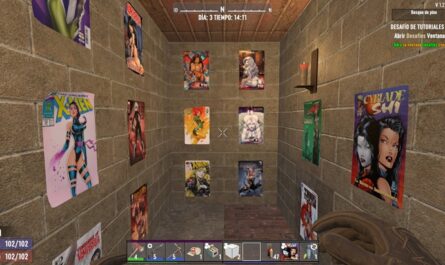
HOWEVER it is incompatible with the screenshot provided through any custom HUD mods like the one im using (Jakmeister999’s Enhanced HUD (V1.2))
it shows the RD and Day but it is overlapped by the other stats at the top of the HUD, so non custom hud support just vanilla.
V1.1
-Adds new feature to the ingame UI via compass and map, for a visual RD: DAY (X) as well as on the Map, RestockDay: Day (X) in its natural vanilla color
-Added debug log thank you and troubleshoot for logs
-Added optimized performance from log spam from previous code , however still function with chat command support for /rd or /restockday commands not console.
-Further usage of harmony and then ResetIntervalInTicks settings to calculate and display the upcoming restock day for traders accurately
– Server compatible, installed via server and client
How to Use:
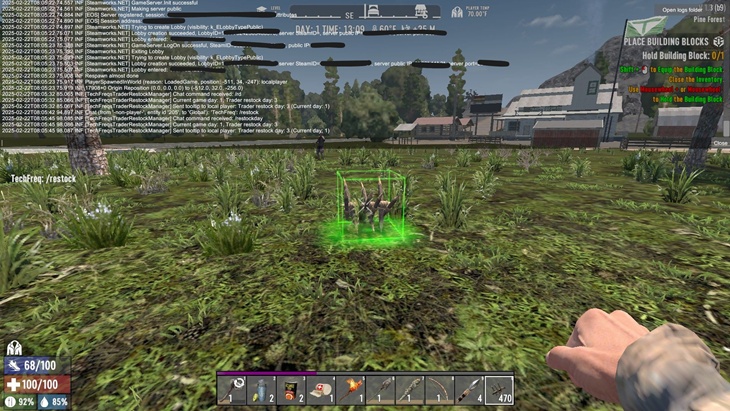
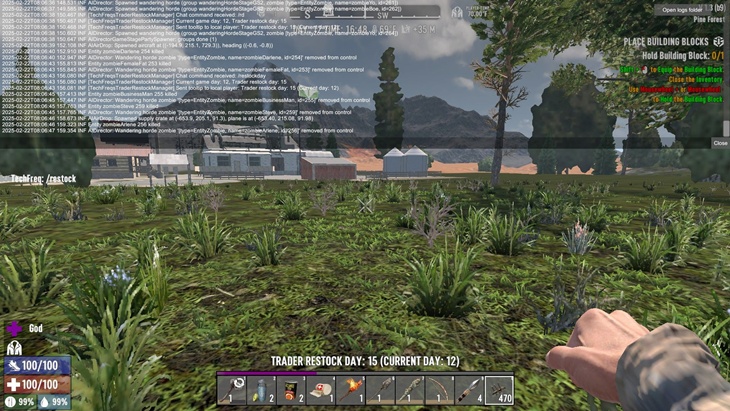
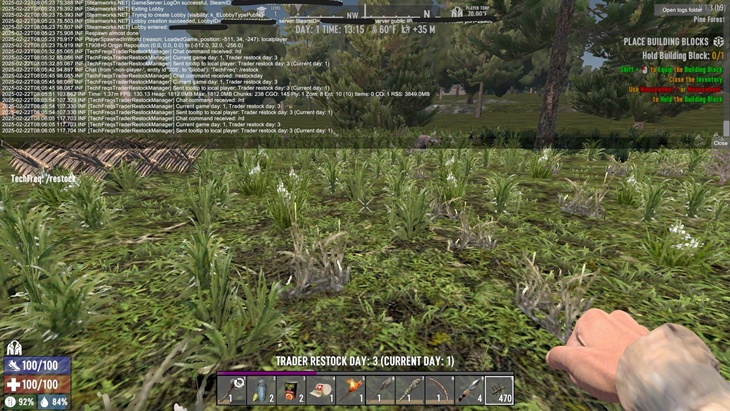
in the form of a tooltip, right within the game sense the command and outputs the current day and restock day.
Type /restockday or /rd in the in-game chat box (not the F1 console) BUT you can check F1 logs afterwards to confirm day aswell, not just from the brief tooltip.
What You Get: A tooltip pops up saying something like “Trader restock day: 6 (Current day: 5)”.
How It Works:
it Listens for your chat command.
Download
Download Link:DOWNLOAD ✔ Verified Safe (13 KB)
This file was scanned for viruses and verified safe using Norton 360.
DOWNLOAD ✔ File Scanned (13 KB)
This submission was scanned for viruses and verified safe as of November 17, 2025 using Norton 360. This file is externally hosted and may be updated by the author from time to time.
I do this for fun in my free time. Donations, Downloads, Feedback are appreciated, and help towards making new mods or content in the community.
If you appreciate my hard work feel free to send me a hazelnut coffee! Alternate donate link if preferred (Paypal).
Credits: TechFreq




If you have any questions or have any problems/bugs, please use the support link (Discord, Forum Topic, GitHub Issues, etc.) in the post. If there is no support link in the post, please use the comments section.