
Description
New Version 1.4.0.
CAS is perfectly compatible with the new 2.5 version of the game, no update needed at this moment.
Remains backwards compatible with all game versions from 2.0 to the current latest version of the game.
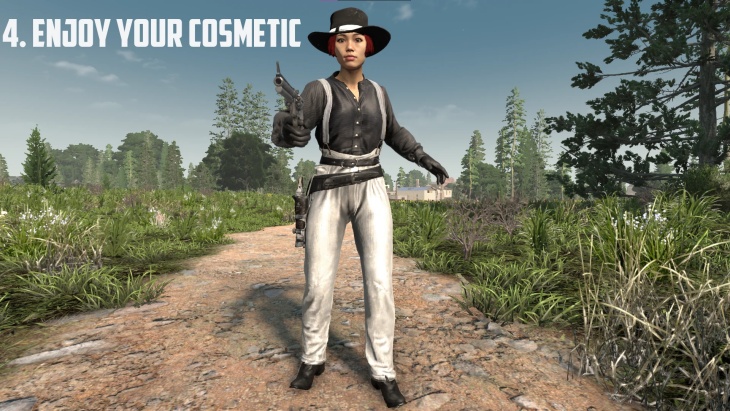
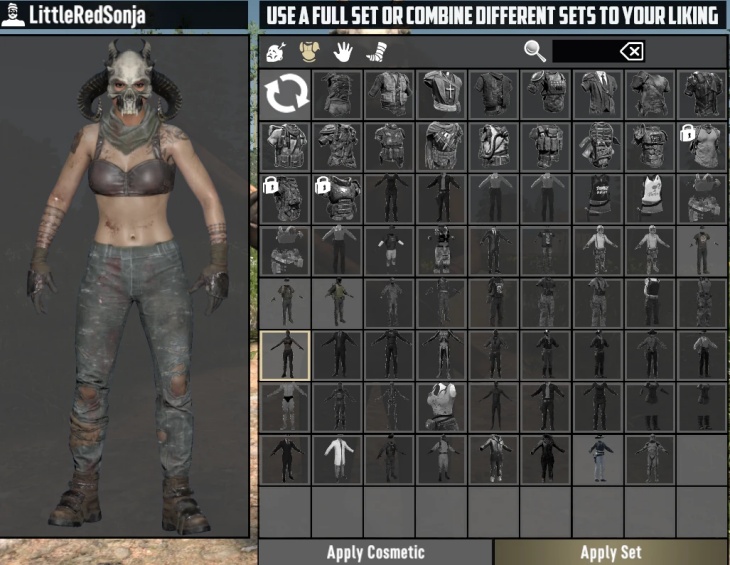
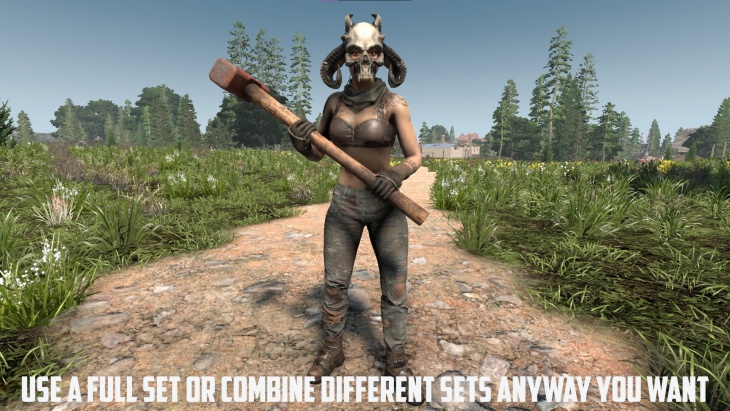
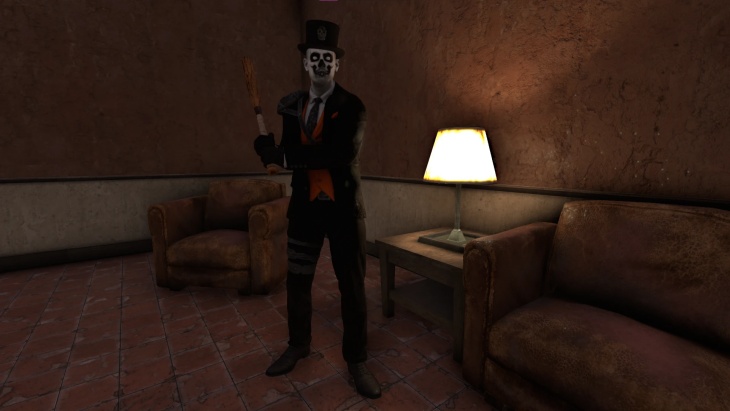
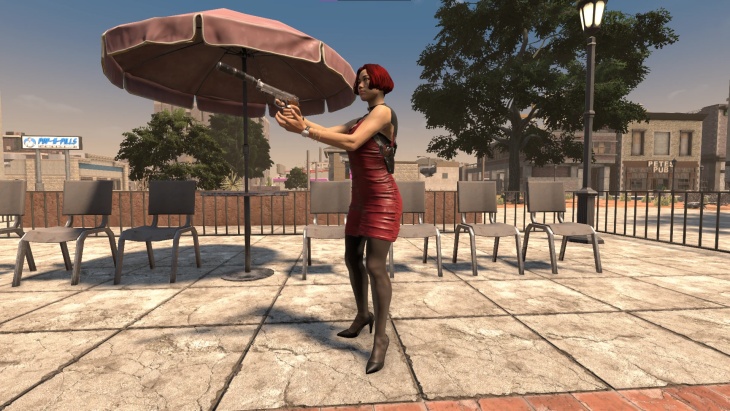
Cosmetic Armor System (CAS) is a support mod that allows full integration of custom armors and outfits into the new cosmetic/wardrobe system introduced in v 2.0 of the game.
In this first version, support needs to be added manually for the different mods, so if you know of any other custom armors, let it be known and support will be gladly added for those too.
The idea with this mod is for it to serve as a common support mod for other custom armor mods.
Since Version 1.2.0 of the mod it includes the possibility to choose between 3 different options on how to use and unlock your cosmetics:
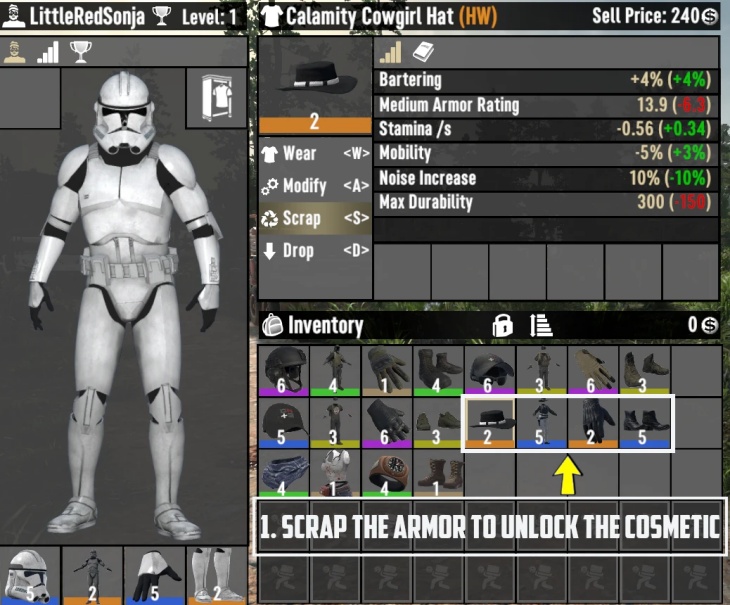
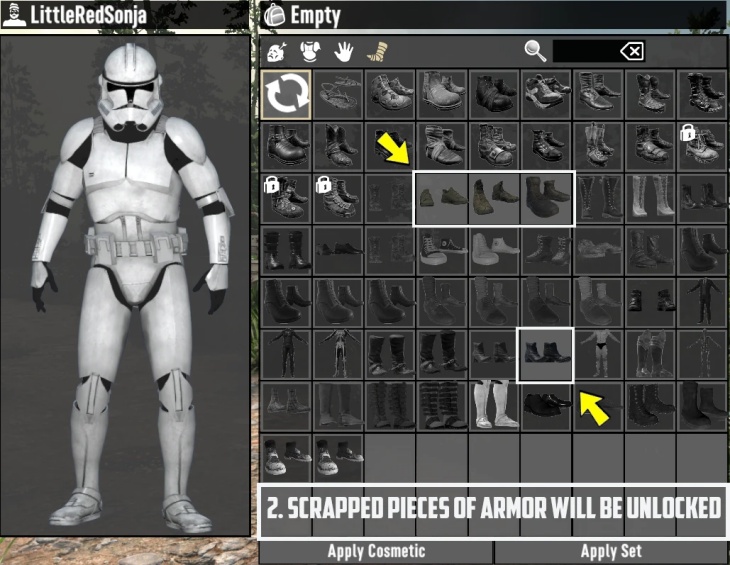
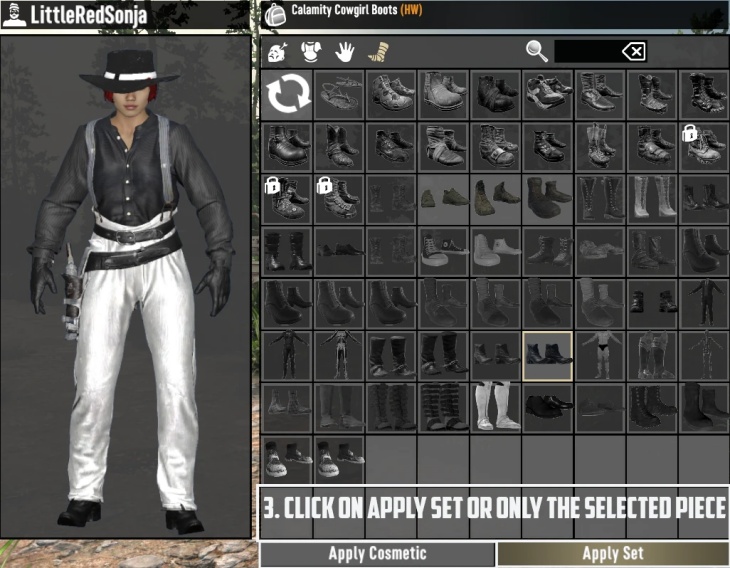
– “Standard”: The cosmetics will unlock like in vanilla, you need to scrap the armor to unlock the cosmetic).
– “UnlockAll”: ALL the cosmetics are unlocked and available from the beginning, you do not need to scrap the armor to unlock them. This includes both the vanilla armor cosmetics and all the supported modded armor cosmetics. DLC CONTENT IS ONLY UNLOCKED IF YOU OWN THE DLC (It DOES NOT unlock DLC content if you do not have the DLC in your account).
– “Disabled”: The cosmetics feature is no longer functional. The cosmetics UI is still there, for compatibility reasons, but it will not work. This was a request and I guess it can be useful for example for pvp scenarios where you do not want players to “hide” what armor they are wearing).
You can choose the option you like more, and you can also switch between the three in the same save without problems as far as I could test. In this version of the mod, the configuration file is defaulted to UNLOCKALL, since I think it is the option that most people will like to see, but you can change it to any of the other 2 options whenever you want.
If you are happy with the default option (Unlock All) you do not need to do anything with the configuration file. The options are there for you just in case you want to enjoy your cosmetics in a different way 🥰.
Fully tested and 100% compatible with Rebirth and EFT overhauls, and most likely also full compatible with any other overhaul.
HOW DO YOU CHOOSE BETWEEN THE 3 OPTIONS:
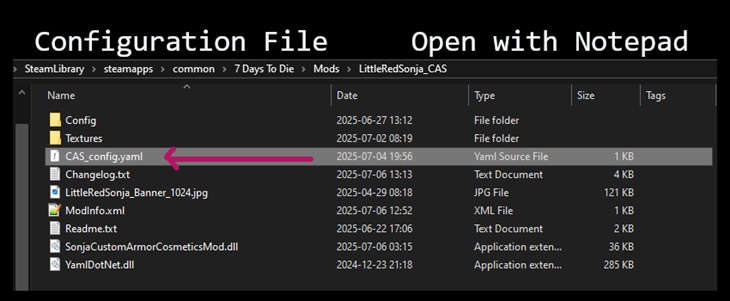
1- Open this configuration file, inside the mod folder. You can use whatever text editor you want, for example Notepad, Notepad ++ or any other.
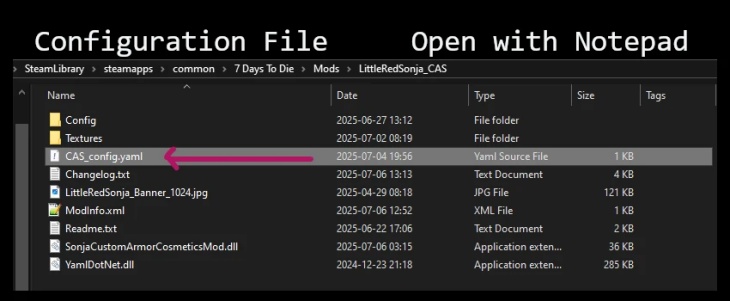
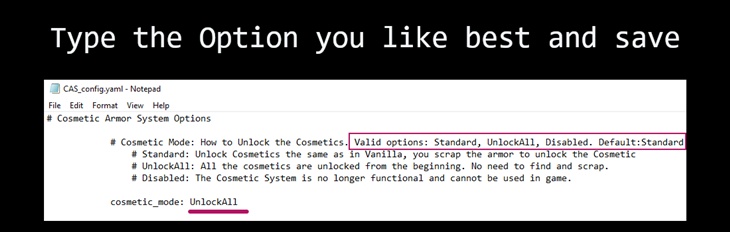
2- Once opened in a text editor, it will look like this. Simply replace the current option (“UnlockAll” in the picture) with the option you like best (Standard, Disabled, or UnlockAll).
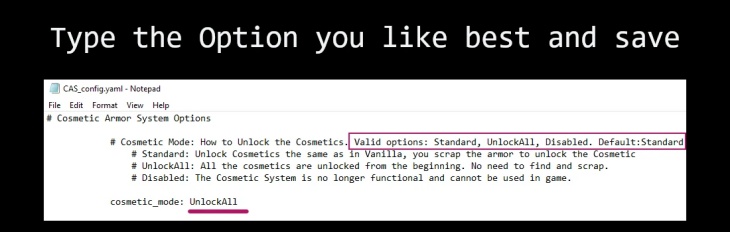
3- Save the file, and play 🥰
In a future update I will try adding these options as a new Option in the game options menu.
Why a separate mod and not including this into each of LittleRedSonja & Mumpfy armor mods?
First because having ONE single support core mod for this allows for easy maintenance and only need to improve and develop one mod, and not 50 different small patches spread across many mods.
Second, because having a centralized unique support mod for integration prevents ID incompatibilities between different mods including cosmetics. That means better compatibility between different mods, better support, and less chance of errors.
Third, because this mod includes c#. That means, EAC must be turned OFF. While this might not be a problem for most people, some other people might want to keep EAC ON. All LittleRedSonja & Mumpfy armors mods can be used with EAC ON, so this should not cause problems with that.
This mod will also be developed as part of learning C#, with new features to make it more automatic, inclusive, and easy to use. Part of what has already been learned is being used, and there’s real excitement about adding more new features and cool stuff to it 😊.
Hope you like the cosmetics, and please let it be known if you find problems, glitches, have any suggestions, or want any other mod to be included for support.
Big thanks to all the nice people in Guppy Discord, and very specially Yakov for the help refining this mod 🥰
Frequently Asked Questions
1- Is your mod compatible with X, Y or Z mod? : Yes, this mod should be compatible with the vast majority of other mods. In version 1.0 (current), support for other armor mods must be added manually, so please let it be known if you want other armor mods included.
2- Can the mod be used server side only?: No. Since it includes c#, the mod needs to be installed in both the server and players computer for multiplayer game. if you play solo instead of multiplayer then you install the mod as usual.
3- Does the mod require EAC to be turned OFF? YES, this mod must be used with EAC OFF to work.
4- Will you add X, Y or Z to the mod?: Always open to suggestions or requests 🥰.
There is a Discord channel hosted in Guppy Modding Discord, where you can always ask questions, leave suggestions, or report problems 😊: LittleRedSonja Discord Channel
There is also a YouTube channel where some short videos and small tutorials on how to install mods are posted: LittleRedSonja YouTube Channel
Images
Changelogs
UPDATE 1.4.0
- Fixes a glitch that could prevent removing a cosmetic in some circumstances, when using the UnlockAll option.
- Adds support for all the Santa hats and Reindeer ears included in “Christmas is Coming“ mod.
Previous Updates
UPDATE 1.3.0
- Code improvements for present and future compatibility.
- Code changes to mark the DLC armor icons look “unlocked” only if you own the DLC, preventing confusion about items looking “unlocked” when they are not.
- Adds support for the Goofy Time! armor pack and Hells Janitor armor.
Please remember, like always when updating this mod:
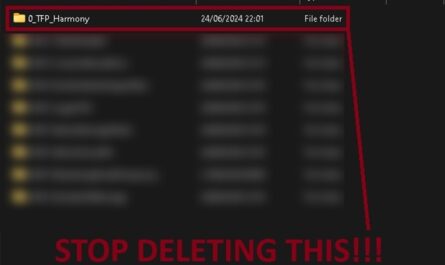
1- DELETE the old mod folder before you install the new one. This is Extremely important to prevent glitches and bugs.
2- Make sure you have 0_TFP_Harmony folder in your Mods folder.
UPDATE 1.2.2
- Adds support for more new custom armors.
- Updates the “Missing Harmony Folder” warning screen with a new, funnier one made by Mumpfy 🥰.
Remember, like always when you update this mod, DO NOT overwrite your current version. Instead, DELETE the old version and then install the new one.
UPDATE 1.2.1
- Adds support for more new custom armors.
- Small improvements.
UPDATE 1.2.0
Super happy with the improvements and options introduced in this update. This has been in the works for the last 2 weeks, and it’s great to have it finally finished and working the way intended 🥰.
Please remember, like always when updating this mod:
1- DELETE the old mod folder before you install the new one.
2- Make sure you have 0_TFP_Harmony folder in your Mods folder.
- Adds a configuration file that allows you to choose and switch between 3 options on how to use and unlock your cosmetics: “Standard” (the cosmetics will unlock like in vanilla, you need to scrap the armor to unlock the cosmetic), “UnlockAll” (ALL the cosmetics are unlocked and available from the beginning, you do not need to scrap the armor to unlock them, including vanilla armor cosmetics and all the supported modded armor cosmetics. DLC CONTENT IS ONLY UNLOCKED IF YOU OWN THE DLC. It DOES NOT unlock DLC content if you do not have the DLC in your account), and “Disabled” (the cosmetics feature is no longer functional. The cosmetics UI is still there, for compatibility reasons, but it will not work. This was a request and it can be useful, for example for pvp scenarios where you do not want player to “hide” what armor they are wearing). You can choose the option you like more, and you can also switch between the three in the same save without problems as far as testing could confirm.
- It adds a new warning main menu window if you are missing 0_TFP_Harmony folder in your mods folder, so it will be easier to see that Harmony is a requirement and needs to be installed for the mod to work.
- Small improvements in performance, cleaned the code a little.
You have some pictures and instructions included inside the mod folder.
Really hope you like this update, it has been a lot of work to make all this work, but the result is something to be super happy with.
Please let it be known if you find any issues or glitches, or if you have suggestions 😊
Have fun! 💜
UPDATE 1.1.0
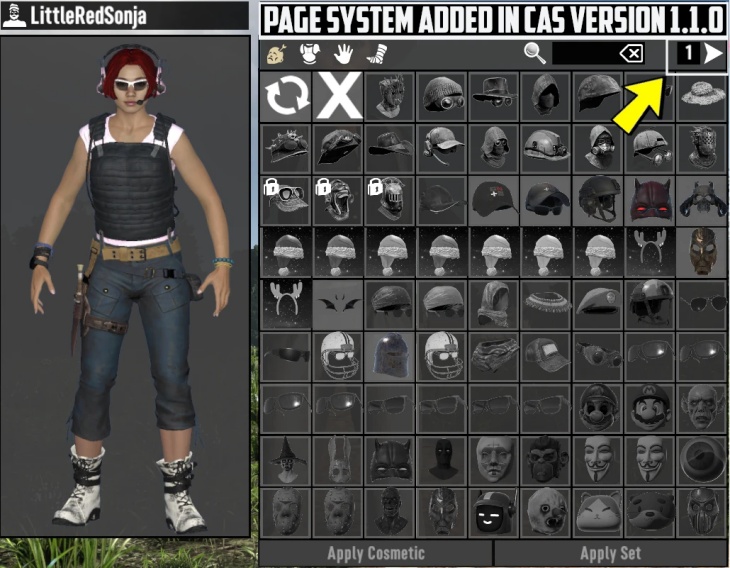
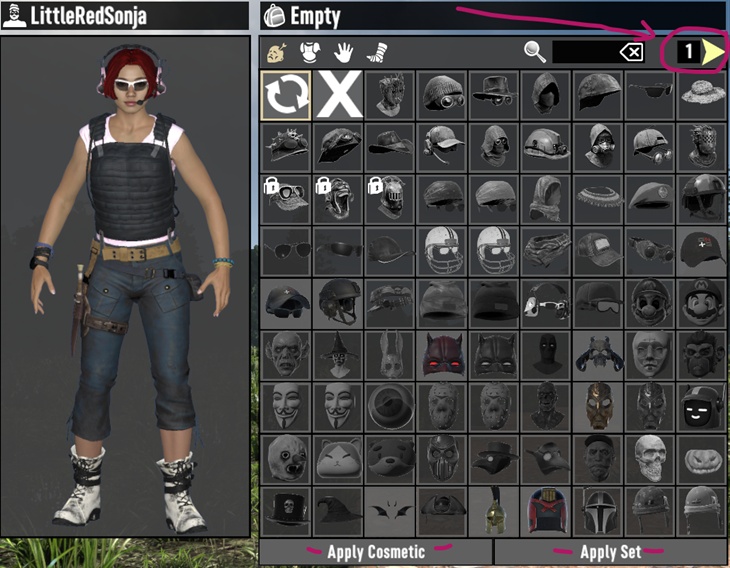
- Adds a pagination function to the cosmetics window, so now you can navigate and see all your cosmetics no matter how many you have, instead of it being limited to one page.
- Adds support for all the masks and helmets in “Halloweeny” that were not already supported, as it was waiting until the pagination feature could be running.
Hope you like the new features! 💜
Download
DOWNLOAD ✔ Verified Safe (641 KB)
This file was scanned for viruses and verified safe using Norton 360.
Credits: LittleRedSonja

If you have any questions or have any problems/bugs, please use the support link (Discord, Forum Topic, GitHub Issues, etc.) in the post. If there is no support link in the post, please use the comments section.
Either I’m dreaming, or after the update I hear sounds when another player reads books next to me 😀
I Love it Storm Trooper in Apocalypse 🙂
Any chance of making an NPC mod that we can play dress-up with our hired apocabuddies? Then we can go zombie smashing in style!
Cant get to the file:
http://www.simfileshare.net took too long to respond
I hope the problem with SimFileShare is resolved. If not please let me know and I will try adding one more alternative link.
My nerves, that would be a beautiful businesswoman, instead of that arrogant businessman Rekt
Haha maybe I will add myself ad an alternative trader eventually, I will think about it 🥰
Hi 🙂 , I have a question. Can you please create a backpack that has more space than the basic one that is in the game? At least 60 slots, or if it had side 1 and side 2, which would be 120 slots of space. You have amazing mods 🙂 that are great for the game 🙂 and always fully functional, so please create a backpack 🙂 . Because the other backpacks I have tried are damaged and problematic from other creators.