
Description
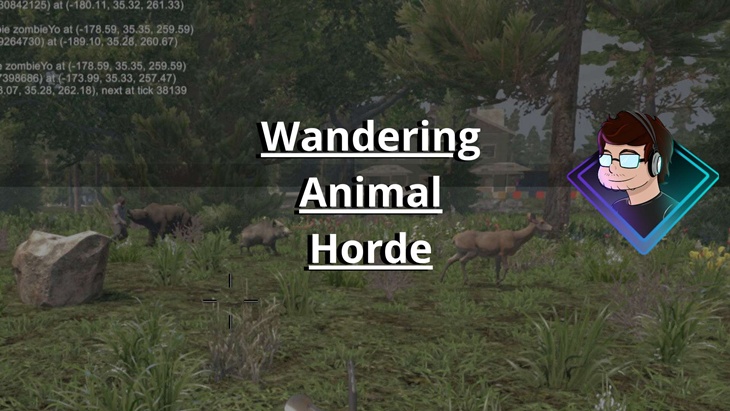
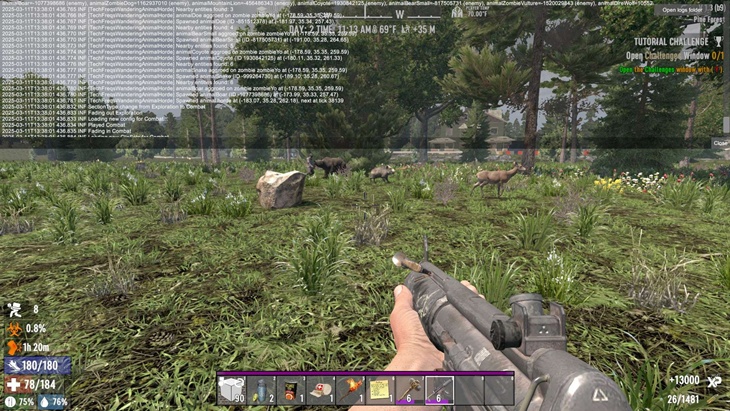
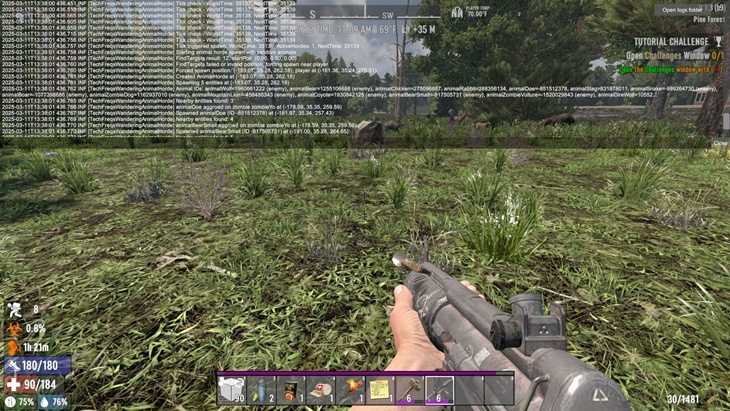
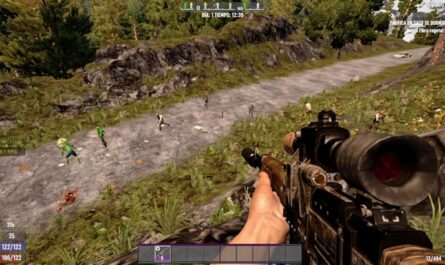
The TechFreqs Wandering Animal Horde Mod,Spawns wandering packs of animals across the 7 Days to Die world, bringing chaotic life to the wasteland. Unleash the wild with TechFreqs Wandering Animal Horde Mod (V2.5)! This mod breathes chaotic life into 7 Days to Die by spawning roaming packs of animals across the wasteland. From docile deer to ferocious dire wolves, these critters wander naturally—until a zombie, player, or a bold punch sets them off, turning the apocalypse into a thrilling wildlife showdown! Enhanced configurability, and community-driven tweaks make this the most immersive version yet. Whether you’re hunting for food or dodging a bear ambush, this mod ramps up the challenge and excitement!
Features TMOCORE, please download TheMeanOneDevelopments core as it is required to run the mod.
General Settings:
– Spawn Modes: Choose “random” for unpredictable spawns or “fixed” for scheduled hordes.
Initial Spawn Delay: First horde spawns after a configurable delay (default: 1 minute, ~17 ticks).
Horde Sizes: Initial spawns (default: 3 animals), regular spawns (default: 6 animals), capped at 25.
Start Day: Delay spawning until a specific day (default: 0, starts immediately).
Spawn Distance: Hordes appear 20-30m from the player for balanced encounters.
– Fixed Mode
Hordes spawn at regular intervals (default: every 60 minutes, ~1000 ticks) after the initial delay.
Example: Day 1, 1 min in: 3 animals. Then every 60 min: 6 animals.
– Random Mode
Daily chance (default: 50%) for a horde to spawn at a random time after the initial delay.
Example: Day 1, 1 min in: 3 animals. Day 2, 50% chance for 6 animals at a random hour.
– Shared Features
Both modes use configurable initial delay, horde sizes, and start day.
Animals (14 types, e.g., rabbits, wolves, bears) use vanilla AI, wandering until provoked by players (20m), zombies (15m), or attacks.
-Manual Spawn Command: Type spawnah in the console to trigger a horde instantly (15s delay).
Overall Vibe:
This mod transforms 7 Days to Die into a dynamic wilderness. Packs of coyotes stalk zombies, deer scatter at your approach, and a zombie vulture might ruin your day. It’s a raw, unpredictable remix of the wasteland, perfect for players craving food or a heart-pounding challenge!
NEW CONFIGURATION DETAILS:
General Section:
spawnMode: “random” (chance-based) or “fixed” (scheduled).
initialSpawnDelayMinutes: Delay before first horde (default: 1.0 min).
initialSpawnCount: First horde size (default: 3).
regularSpawnCount: Regular horde size (default: 6).
startAfterDay: Minimum day to start (default: 0).
minSpawnDistance/maxSpawnDistance: Spawn range (default: 20-30m).
showNotifications: Toggle tooltips (default: true).
Fixed Section:
spawnIntervalHours: Hours between spawns in fixed mode (default: 1.0).
Random Section:
spawnChancePerDay: Daily spawn chance (default: 0.5, 50%).
randomSpawnIntervalMinutes: Minimum interval between random spawns (default: 60 min).
Animals Section:
Toggle 14 animals (e.g., animalChicken: { “enabled”: true }).
Passive: Chicken, Rabbit, Doe, Stag.
Hostile: Wolf, Bear, Snake, Boar, ZombieDog, MountainLion, Coyote, BearSmall, ZombieVulture, DireWolf.
UPDATED CONFIG JSON EXAMPLE FOR V2.0:
{
“SpawnMode”: “random”,
“InitialSpawnDelayMinutes”: 1.0,
“SpawnChancePerDay”: 0.1,
“SpawnIntervalDays”: 0,
“SpawnIntervalHours”: 0,
“SpawnIntervalMinutes”: 30,
“RandomSpawnIntervalDays”: 0,
“RandomSpawnIntervalHours”: 0,
“RandomSpawnIntervalMinutes”: 30,
“InitialSpawnCount”: 3,
“RegularSpawnCount”: 6,
“StartAfterDay”: 0,
“MinSpawnDistance”: 20,
“MaxSpawnDistance”: 30,
“ShowNotifications”: true,
“Animals”: {
“animalChicken”: { “Enabled”: true },
“animalRabbit”: { “Enabled”: true },
“animalDoe”: { “Enabled”: true },
“animalStag”: { “Enabled”: true },
“animalWolf”: { “Enabled”: true },
“animalBear”: { “Enabled”: true },
“animalSnake”: { “Enabled”: true },
“animalBoar”: { “Enabled”: true },
“animalZombieDog”: { “Enabled”: true },
“animalMountainLion”: { “Enabled”: true },
“animalCoyote”: { “Enabled”: true },
“animalBearSmall”: { “Enabled”: true },
“animalZombieVulture”: { “Enabled”: true },
“animalDireWolf”: { “Enabled”: true }
}
}
END OF NEW UPDATED CONFIG JSON EXAMPLE
CREDITS:
Thanks to TechFreq & A.I, ChatGPT or Microsoft CoPilot A.I or Grok AI from Twitter or X, for helping me create the modlet, aswell as with very little modding knowledge for the game and learning as i go i couldn’t do this without it and overall brainstorming and or the modding community.
I’d very much appreciate it and or any feedback for the mod(s) aswell
Support Notice: The best way to support TechFreq other than downloading mods, sharing the mod with friends, leaving feedback and endorsing the mod in general is all that i ask for, but if you want to go the extra mile although not necessary you may use Donation Links through paypal or ko-fi pages which again helps me a bunch!
However, Donations aren’t expected, every little bit of support helps along the way & fuels more mods, music, and bug fixes in the future,so thanks again for reading and being awesome in general and checking out the mod post.
Social Media:
If you appreciate ‘TechFreqs’ work and want to show support, use this donation link, although not necessary. Kofi Page.
I appreciate it in general for just checking out the mod posts, sharing and enjoying any of the mods in itself. Thank you again! and Happy gaming!
Love this mod? Got feedback or ideas or need to troubleshoot?
Join the TechFreq Pretty Rad Squad Discord Server!
Chill with us on Discord for game chat, memes, and even more mod updates!
As for TechFreqs music, it’s royalty-free music to use in your projects or for casual listening!
Source music files are available feel free to ask away, available in the discord! or for more content! TechFreqs Socials: https://beacons.ai/techfreq
Checkout the behind-the-scenes vibes today! Thank you again for checking out the mod post.
License: CC BY-NC-SA 4.0
This mod is licensed under Creative Commons Attribution-NonCommercial-ShareAlike 4.0 International. You can use it for personal play in *7 Days to Die*. Modifications or sharing require crediting TechFreq, linking to the mod page, and using the same license for derivatives. Contact me at beacons.ai/techfreq for permission for any modifications or changes.
See LICENSE.txt or http://creativecommons.org/licenses/by-nc-sa/4.0/ for full terms.
Note: Monetized videos/blogs showcasing this mod are allowed along as with credit to TechFreq.
Images
Changelogs
V2.5(V2.0) BETA TYPE-V More Changes:
– Refined Notifications: Single, clear tooltips (e.g., “Warning: Nearby! All Wolves, Be Careful!”) for spawns, with no redundant messages or sound alerts.
– Community-Driven Updates: Thanks to feedback from HabWasichBin, improved horde logic and debug logging for smoother gameplay.
– Flexible Animal Configs: Toggle any of 14 animals (passive like chickens or hostile like zombie vultures) in config.json for custom horde variety.
– Enhanced Tooltip Messages: New messages for horde types (All X, All Passive, All Hostile, Mixed) and random spawn skips (e.g., “Skipped by Chance”).
– Config Overhaul: Updated config.json with intuitive settings for spawn modes, distances, and notifications.
– Client Side Only
– Features TMOCORE, please download TheMeanOneDevelopments core as it is required to run the mod.
( AS THIS IS IN BETA EXPECT BUGS! I dont believe that as far as my testing goes, the changed days or hours works, although maybe it does, ive tested minutes and that works well to an extent and new issues please report! )
Download
Download Link:DOWNLOAD ✔ Verified Safe (25 KB)
DOWNLOAD ✔ Verified Safe TMO-CORE (Hard Dependency) (22 KB)
This file was scanned for viruses and verified safe using Norton 360.
DOWNLOAD ✔ File Scanned (25 KB)
This submission was scanned for viruses and verified safe as of November 17, 2025 using Norton 360. This file is externally hosted and may be updated by the author from time to time.
I do this for fun in my free time. Donations, Downloads, Feedback are appreciated, and help towards making new mods or content in the community.
If you appreciate my hard work feel free to send me a hazelnut coffee! Alternate donate link if preferred (Paypal).
Credits: TechFreq






If you have any questions or have any problems/bugs, please use the support link (Discord, Forum Topic, GitHub Issues, etc.) in the post. If there is no support link in the post, please use the comments section.
server ok load client spams me full lol
2025-12-07T21:37:07 269.508 INF FipsTheThief onNewBiomeEntered +buffForest_Hazard 2025-12-07T21:37:08 269.678 INF ChunkManager generation thread resumed after 2.0s blocked [TechFreqsWanderingAnimalHorde] Player fully spawned at tick 2230425, scheduled first animal horde at tick 2230441 (1.0 minutes), initial lastMinuteChecked=133825, in-game time: 22:25
[TechFreqsWanderingAnimalHorde] Displayed tooltip to player ID 383: ‘[Wandering Animal Horde] Initial Spawn in 1.0 Minutes (Mode: random)’ at tick 2230427, in-game time: 22:25, Spawned: True, Alive: True
[TechFreqsWanderingAnimalHorde] Initial tooltip shown at tick 2230427 [TechFreqsWanderingAnimalHorde] Added AnimalHordeManager to GameManager [TechFreqsWanderingAnimalHorde] SpawnCoroutine started
[TechFreqsWanderingAnimalHorde] Started SpawnCoroutine in AnimalHordeManager
[TechFreqsWanderingAnimalHorde] Started SpawnCoroutine in DelayedPlayerSpawnScheduling [TechFreqsWanderingAnimalHorde] Game not initialized, skipping coroutine [TechFreqsWanderingAnimalHorde] Game not initialized, skipping coroutine [TechFreqsWanderingAnimalHorde] Game not initialized, skipping coroutine [TechFreqsWanderingAnimalHorde] Game not initialized, skipping coroutine [TechFreqsWanderingAnimalHorde] Game not initialized, skipping coroutine
[TechFreqsWanderingAnimalHorde] Game not initialized, skipping coroutine [TechFreqsWanderingAnimalHorde] Game not initialized, skipping coroutine [TechFreqsWanderingAnimalHorde] Game not initialized, skipping coroutine [TechFreqsWanderingAnimalHorde] Game not initialized, skipping coroutine [TechFreqsWanderingAnimalHorde] Game not initialized, skipping coroutine [TechFreqsWanderingAnimalHorde] Game not initialized, skipping coroutine [TechFreqsWanderingAnimalHorde] Game not initialized, skipping coroutine [TechFreqsWanderingAnimalHorde] Game not initialized, skipping coroutine [TechFreqsWanderingAnimalHorde] Game not initialized, skipping coroutine [TechFreqsWanderingAnimalHorde] Game not initialized, skipping coroutine [TechFreqsWanderingAnimalHorde] Game not initialized, skipping coroutine [TechFreqsWanderingAnimalHorde] Game not initialized, skipping coroutine [TechFreqsWanderingAnimalHorde] Game not initialized, skipping coroutine [TechFreqsWanderingAnimalHorde] Game not initialized, skipping coroutine [TechFreqsWanderingAnimalHorde] Game not initialized, skipping coroutine [TechFreqsWanderingAnimalHorde] Game not initialized, skipping coroutine [TechFreqsWanderingAnimalHorde] Game not initialized, skipping coroutine [TechFreqsWanderingAnimalHorde] Game not initialized, skipping coroutine [TechFreqsWanderingAnimalHorde] Game not initialized, skipping coroutine
and so on and so on and so on ^^ other spawn mod more animals from you works perfect ^^ ok rebirth mod runnung at my server/client ^^
cant download you mods the MEGA links never work and the other link just spams me with adds and wont let me download
Hi there – I’m not sure if this mod is something you’re still interested in maintaining, but I’ve had it installed for a couple of weeks and no animal hordes are spawning on my server. When I run “spawnah,” it says: “Failed to spawn animal horde – no valid targets or position.” This occurs irrespective of location. Do you know what I could do to try to troubleshoot, perhaps? Thanks!